Since I’ve seen many of us experience the same problems with the latest Thunkable update (using DnD version), maybe it’s better to list all of them in one topic. So we can all track their correction more easily.
Bugs must have been observed not only on Thunkable live, but also on apk and/or TestFlight (iOS):
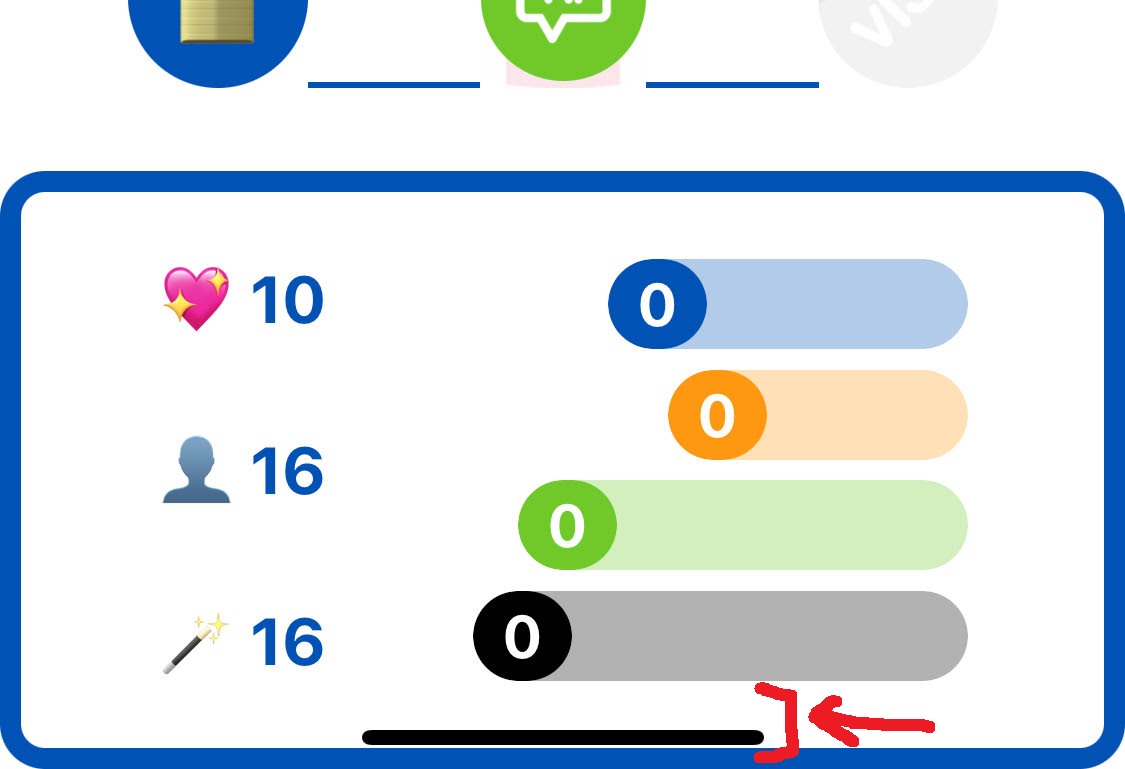
• Notch area : is ignored even when “Ignore Notch Area” is turned off
• Design : some elements display well on Thunkable Web Preview, but absolutely not on devices
• Layout : doesn’t stretch to full screen anymore, even with all the recommendations we can find on this forum or when contacting support (height / width blocks, replacing fill container / content by pixel sizes, etc…)
• Local Data Source : app freezes when it’s turned to “Stored data source”.
Those worked perfectly well before Thunkable v531.1, and suddenly didn’t, without any change on the projects.
Please report in this topic any other bug you’re experiencing, so people can know the Thunkable team is aware and working on it.
As I already mentioned to support team, it’s really frustrating to dedicate that much time for just having a FUNCTIONAL software for which WE PAY MONTHLY.
I’m having a problem with the Bluetooth connection. When I press the connect button and the device I’m trying to connect to is turned off, the app displays the “Critical Error Occurred!” error. This happens even if I press the connect button twice; basically, I no longer receive the “Device not found!” message.
If the device is turned on, the app connects fine.
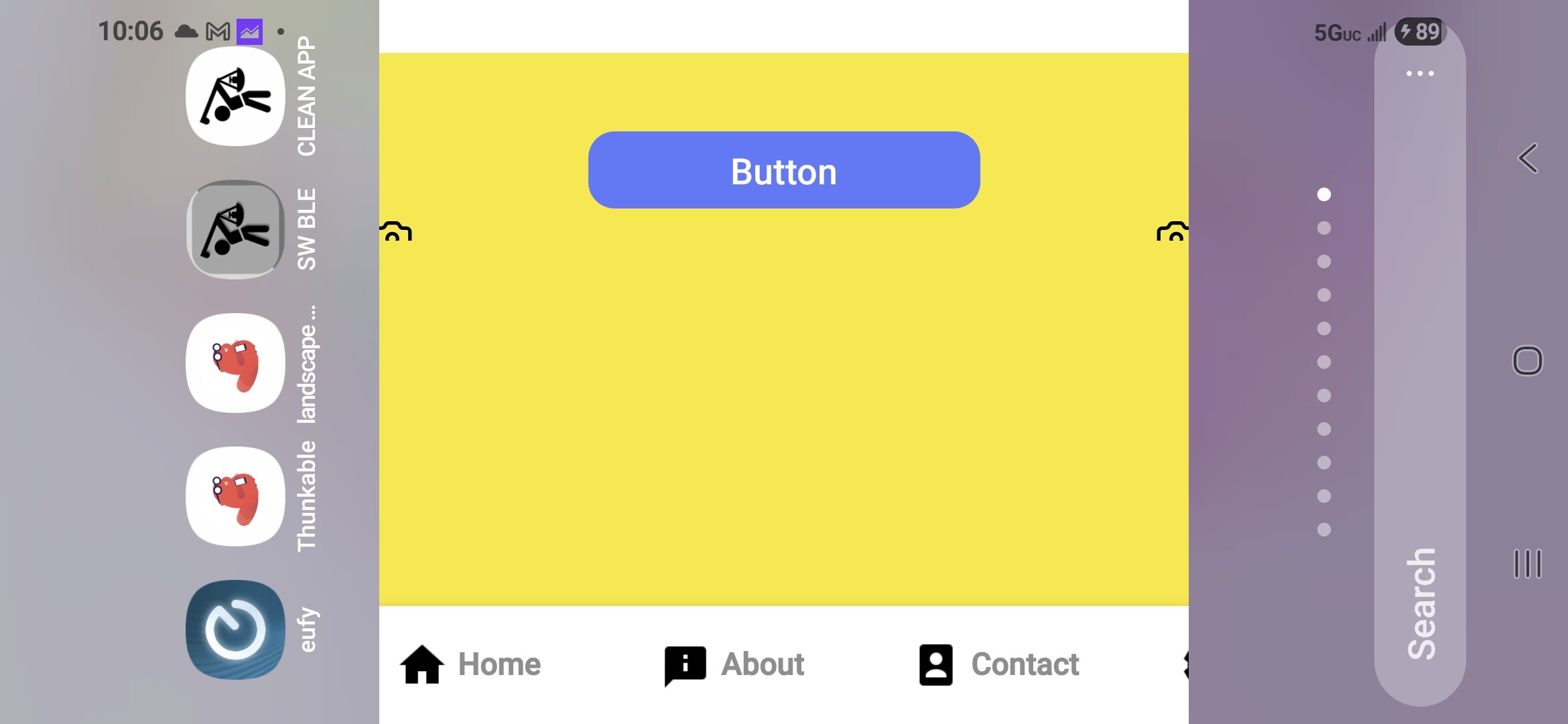
I’ve been fighting layout issues in landscape. I built a test app and had it working to try to figure out what caused the cropping in landscape. As soon as I added an icon.png (properly sized at 512px, 32 bit color), the app started cropping when rotating to landscape. I’ve attached a screenshot.
Also, I use Ble too. Everything works fine until the device I’m connected to disconnects. The thunkable disconnect handler does not act properly and I get the “critical error” message and the app goes dead til I restart it…..
If I can’t get item 1 fixed, no need to work about the Ble problem. I’ve been working on this for 2 weeks now.
Hello,
Thank you for sharing more information about your issues.
Our community guideline suggests creating an individual post for every issue, but I will do my best to reply to all of them jere.
After the release of V530:
The notch area appears only if the status bar is visible. @dosantoss Regarding the design and layout issue, I have followed up with you on the conversation we had via Intercom.
The data source issue is happening before V530.
Specifically, the create list from text separated by commas doesn’t work when the text is from a get row object of a stored data source.
A workaround is to connect a join block like this:
@22lemacym For the landscape issue, it is reported here, and the engineers are still working on it.
The workaround is to remove the app icon.
If you need me to apply the workaround to your project, please share your project URL so I can remix it to remove the app icon.
@vico3341rys8kx For the BLE issue, I have tried, but I couldn’t replicate the issue.
To report this as a bug to our engineers and have a solution, we must first have specific steps to replicate the issue on a new project.
Could you please share the specific steps to replicate this issue?
What do you mean by “When I press the connect button and the device I’m trying to connect to is turned off”?
Which blocks do you use?
Have you tried to delete specific blocks to see if the issue will continue to happen?
I built a test app this morning and confirmed a few things. When you add a splash screen image, the truncated sides happens. If you remove the splash screen image, the problem goes away.
Adding an icon, automatically uses the icon image as a splash image and that is causing the truncation as well.
I’ve done a little code searching in the state.json file and find this….“DesignerWidth”:667,“ResponsiveWidth”:375.
I’m wondering in landscape mode if these 2 values should be the same?
It feels like the splash screen happens in portrait even if the app design is set to “Phone + Landscape”
Hi @IOANNIS, my app is used for an access control system, I’ve been working on it for quite some time, also because I’m a beginner, but I think I’ve achieved excellent results. With my app I have to connect via Bluetooth to microcontrollers, specifically ESP32s, which are called DigitalKeys. Each DigitalKey is recorded as a storage variable of the ESP32’s MAC Address value. So when I press the connect KEY 3 button, if the ESP32 “DigitalKey” device is powered, the connection occurs normally, but if the device is turned off or unreachable, I don’t receive an ERROR return, but a CRITICAL ERROR OCCURRED! and the application crashes. This also happens when I press 2 times in a short time on connect KEY 3! I’ll send you my crashes. P.S. I have an old test APK version that works well and doesn’t have this problem. I hope I was clear…thanks.
Hi @vico3341rys8kx
Thanks for sharing more information and a screenshot.
I am still not able to replicate the issue.
How do you set the stored variable?
A solution might be to add the following condition:
Hi @ioannis, I tried your advice, but it didn’t work for my problem. The Bluetooth Low Energy block has two outputs: one returns the device name, and the other should return an error or null. My problem is that I’m not getting any results from the block’s error output, and I can’t handle the error, so the app crashes. Can you check if the block’s error output works properly for you? Thanks a lot.
Hi @vico3341rys8kx
Thanks for sharing more information.
Yes, the error works properly on my test, and the app doesn’t crash.
Could you please delete these blocks from your project and then test the app again to see if it continues to crash?
Hi @ioannis, I tried deleting the blocks on the latest changes made to my project. I also used an old copy of the project that worked very well, but nothing. The Bluetooth_Low_Energy “connect to device ID” node continues to crash the application because it doesn’t return the error message if the device is turned off or unreachable. I’ll try to show you a short video in the hope that you or the community can find the cause of this problem. I can only say that it all started when I installed the new version of the thunkable live app on my phone.
Hi @vico3341rys8kx
Thanks for investigating the issue.
I don’t understand which block crashes the app when the BLE device is turned off or unreachable.
I tried to open the file, but it says there is an error.
In any case, to fix the issue:
Delete any block you think is causing the issue.
Test the app and if it crashes again, delete more blocks.
@22lemacym you’re right, that’s a swipe bar on the bottom notch area. But when notch area isn’t ignored, nothing should appear there, like before the Thunkable update.
still many issues have not been fixed. the navigatioin and top bar dont show the correct colour even though it looks correct in thunkable live. I see today that after another update now all webviewers where you send or receive data to are broken.
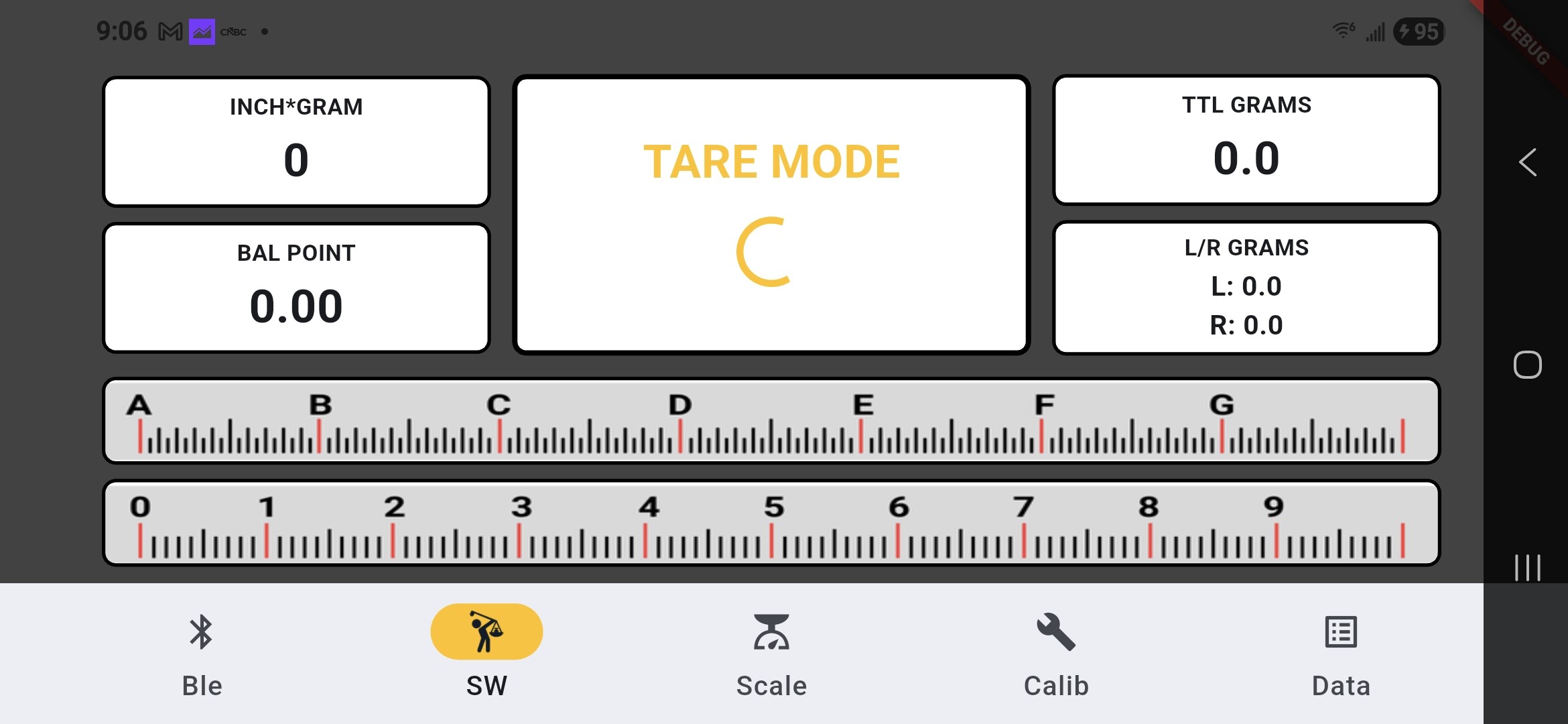
I re-wrote my entire app in Flutter (using VScode). I used Claude Ai to help with Flutter. I pasted screenshots of my Thunkable app and gave Claude some prompts on how the app was supposed to work. Once I had some code to work with (not blocks), it was easy to do some of the code work myself. Now I have a new skillset! I also rebuilt one of my webapps and hosted it on github.io…..Took 1 week to re-build my app and 1 hour to rebuild my webapp.