@freddiedadog as a temporary solution use snipboard.io to upload screenshots 
Using standard ListView:
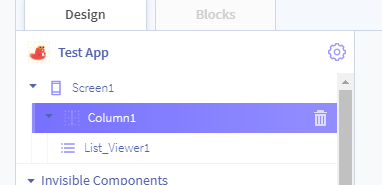
Add a Column to your screen, followed by the List Viewer component which should be child of the Column. Should look something like this:
I then went and changed the background of the Column to a picture of a cat:

Result:

Hopefully this is what you meant? If not be sure to let us know.