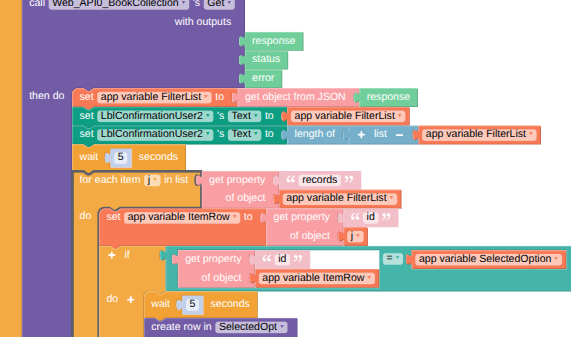
Hi there,
I am having an issue with my Data Viewer List. I am using WebAPI with a filter on user. My DataViewerList was displaying all records despite my API filter. So I reviewed some post and some have used another local table. So I gave this a try. I am still using my main DB with Airtable that stores all my data and the local table as a temporary table. The issue is the record I get from the API returns as (1) record. But based on the Airtable DB there are 4 records associated with this user. Are you able to tell me where my code has taken the wrong turn? I am only returning 1 record each time and the same record is written to my DataViewer LIist. My filtered list has 4 record Id’s from the API that start with recXXXXXX.