# \[Solved\] Private Login Screen
**URL:** https://community.thunkable.com/t/solved-private-login-screen/476648
**Category:** Questions about Thunkable X
**Tags:** firebase, solved, beginner, login
**Created:** [February 21, 2020, 10:38am UTC](https://community.thunkable.com/t/solved-private-login-screen/476648 "2020-02-21T10:38:14Z")
**Posts on this page:** 10
**Page:** 1
### Author:  [@16josephsrgz](https://community.thunkable.com/u/16josephsrgz)
#### Post date: [February 21, 2020, 10:38am UTC](https://community.thunkable.com/t/solved-private-login-screen/476648/1 "2020-02-21T10:38:14Z")
So I’m making an app (obviously), and I’m quite new to Thunkable. I have managed to set up a login page using firebase and that’s all working ok, but I want to have a screen that you can only access if you’re logged in, while also having it in the menu. That’s a bit complicated: basically, a page in the menu that if you’re not logged in, it sends you to the login page and if you are logged in, it lets you go through to the page. I had a go at it by myself, and couldn’t work it out and couldn’t find any tutorials online. Is it even possible?
---
### Author:  [@kartik14](https://community.thunkable.com/u/kartik14)
#### Post date: [February 21, 2020, 11:34am UTC](https://community.thunkable.com/t/solved-private-login-screen/476648/2 "2020-02-21T11:34:48Z")
Hi, @16josephsrgz! 👋
Welcome to our Community. 🤝
* * *
Congratulations on your app! 🎉
This method might help you -
- Grab a `Local_Storage` component from the _component tree_ (in Designer area).
- In your Login screen, (when the whole process ends, and you navigate the user to `menu`) add this block -
- Next, In the menu screen, when _that_ button is clicked, check if the user is logged in, and only let in if he/she is.
* * *
Hope I helped you! 😺
Good Luck! 🎉
Thanks! 😊
---
### Author:  [@16josephsrgz](https://community.thunkable.com/u/16josephsrgz)
#### Post date: [February 21, 2020, 12:13pm UTC](https://community.thunkable.com/t/solved-private-login-screen/476648/3 "2020-02-21T12:13:38Z")
Thank you very much for your reply, and I tried it out, however for my menu I am using the Drawer Navigator tool and I’m not entirely sure if your method would work with that tool. Here is my code for the login (I did not come up with this, I copied it off [this tutorial](https://www.youtube.com/watch?v=khKY3ztLKMA&t=1224s)):
  
---
### Author:  [@kartik14](https://community.thunkable.com/u/kartik14)
#### Post date: [February 21, 2020, 2:01pm UTC](https://community.thunkable.com/t/solved-private-login-screen/476648/4 "2020-02-21T14:01:33Z")
Hi, @16josephsrgz! 👋
I see, you have stored the `userID` as value,

Whereas I suggested to store `true` -

So, try storing true, and then check it 👍
Thanks! 😊
---
### Author:  [@16josephsrgz](https://community.thunkable.com/u/16josephsrgz)
#### Post date: [February 21, 2020, 3:30pm UTC](https://community.thunkable.com/t/solved-private-login-screen/476648/5 "2020-02-21T15:30:32Z")
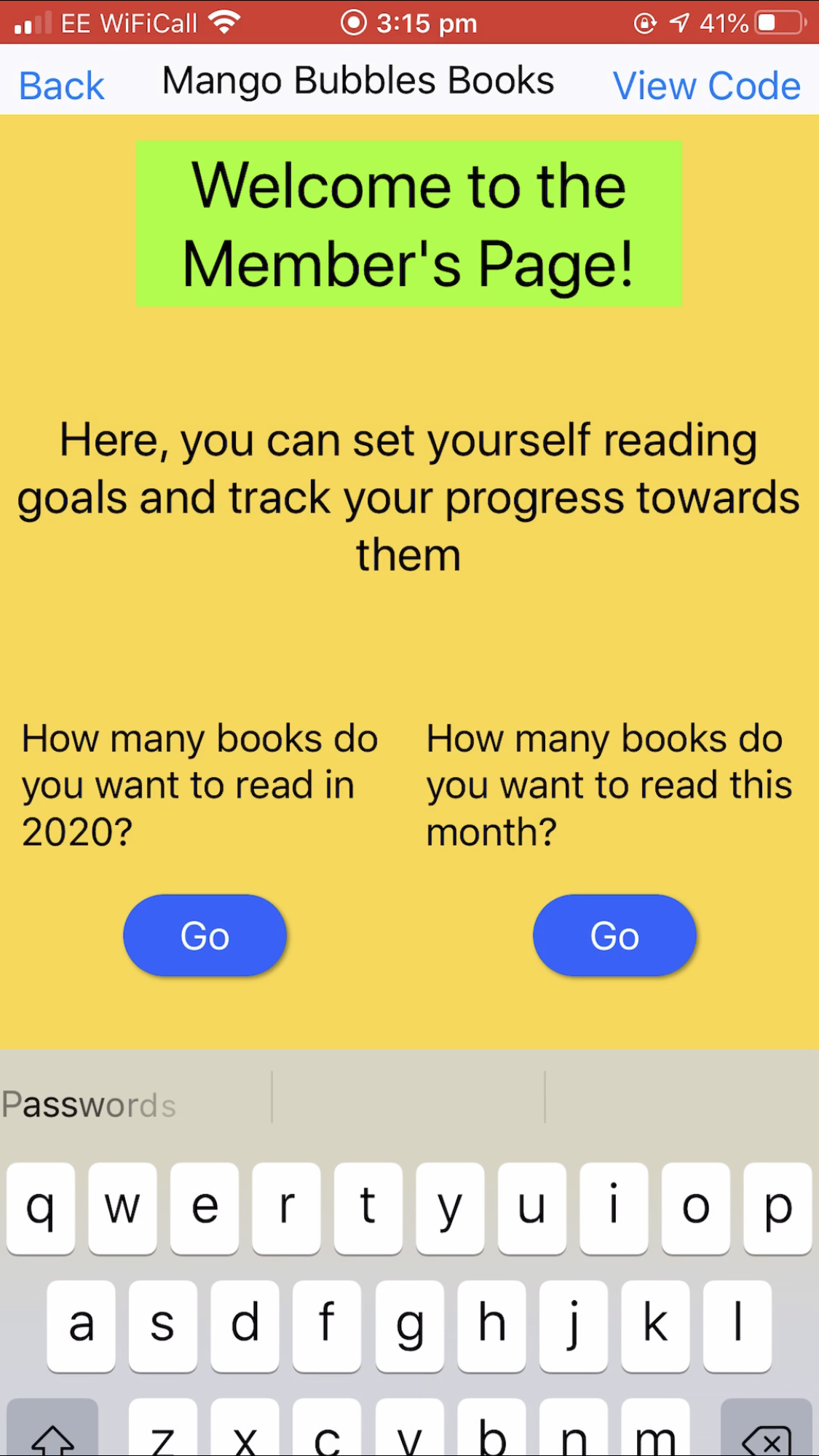
This quick fix works very well, thank you! However another problem has arisen, when you arrive on the login page, and then login, for a split second you go to the private page, however then you get sent back to the login page.
---
### Author:  [@kartik14](https://community.thunkable.com/u/kartik14)
#### Post date: [February 21, 2020, 4:23pm UTC](https://community.thunkable.com/t/solved-private-login-screen/476648/6 "2020-02-21T16:23:48Z")
Hi, @16josephsrgz! 👋
Glad to know that you have solved some part of your problem 👍
* * *
Can you please post your complete blocks of login screen?
Thanks! 😊
---
### Author:  [@16josephsrgz](https://community.thunkable.com/u/16josephsrgz)
#### Post date: [February 21, 2020, 4:32pm UTC](https://community.thunkable.com/t/solved-private-login-screen/476648/7 "2020-02-21T16:32:45Z")
@kartik14 Here you go:
  
And here are the blocks on the other page:

---
### Author:  [@kartik14](https://community.thunkable.com/u/kartik14)
#### Post date: [February 21, 2020, 4:54pm UTC](https://community.thunkable.com/t/solved-private-login-screen/476648/8 "2020-02-21T16:54:27Z")

This block, is incorrect - it clearly says, when member page opens, if I am logged in, again open member page.
Do you have a main menu, where all buttons are present? Because, this block should be like -
When `member page` btn pressed, check login, and navigate accordingly.
Thanks! 😊
---
### Author:  [@16josephsrgz](https://community.thunkable.com/u/16josephsrgz)
#### Post date: [February 21, 2020, 5:06pm UTC](https://community.thunkable.com/t/solved-private-login-screen/476648/9 "2020-02-21T17:06:50Z")
@kartik14 Got it working! Thank you so much, you’re very helpful :). All I had to do was change the member page opens to member page starts! :))
---
### Author:  [@ioannis](https://community.thunkable.com/u/ioannis)
#### Post date: [November 8, 2024, 11:40am UTC](https://community.thunkable.com/t/solved-private-login-screen/476648/10 "2024-11-08T11:40:54Z")