# Questions about Airtable & bardcode scanner
**URL:** https://community.thunkable.com/t/questions-about-airtable-bardcode-scanner/3504440
**Category:** Questions about Thunkable X
**Tags:** airtable, barcode
**Created:** [January 24, 2025, 2:51am UTC](https://community.thunkable.com/t/questions-about-airtable-bardcode-scanner/3504440 "2025-01-24T02:51:50Z")
**Posts on this page:** 20
**Page:** 1
### Author:  [@tommydong2010w3eqee](https://community.thunkable.com/u/tommydong2010w3eqee)
#### Post date: [January 24, 2025, 2:51am UTC](https://community.thunkable.com/t/questions-about-airtable-bardcode-scanner/3504440/1 "2025-01-24T02:51:50Z")
I want to create a website for a study that basically minimizes human error, by taking a picture of a 16 digit code, and outputs 1 of 2 colours. Now these colours will be associated with a code, and the information is on an Airtable CSV. I have started, but I cannot figure out how to pull information from the Airtable after taking a picture of the barcode, and outputing the code. Thanks for the help in advance!

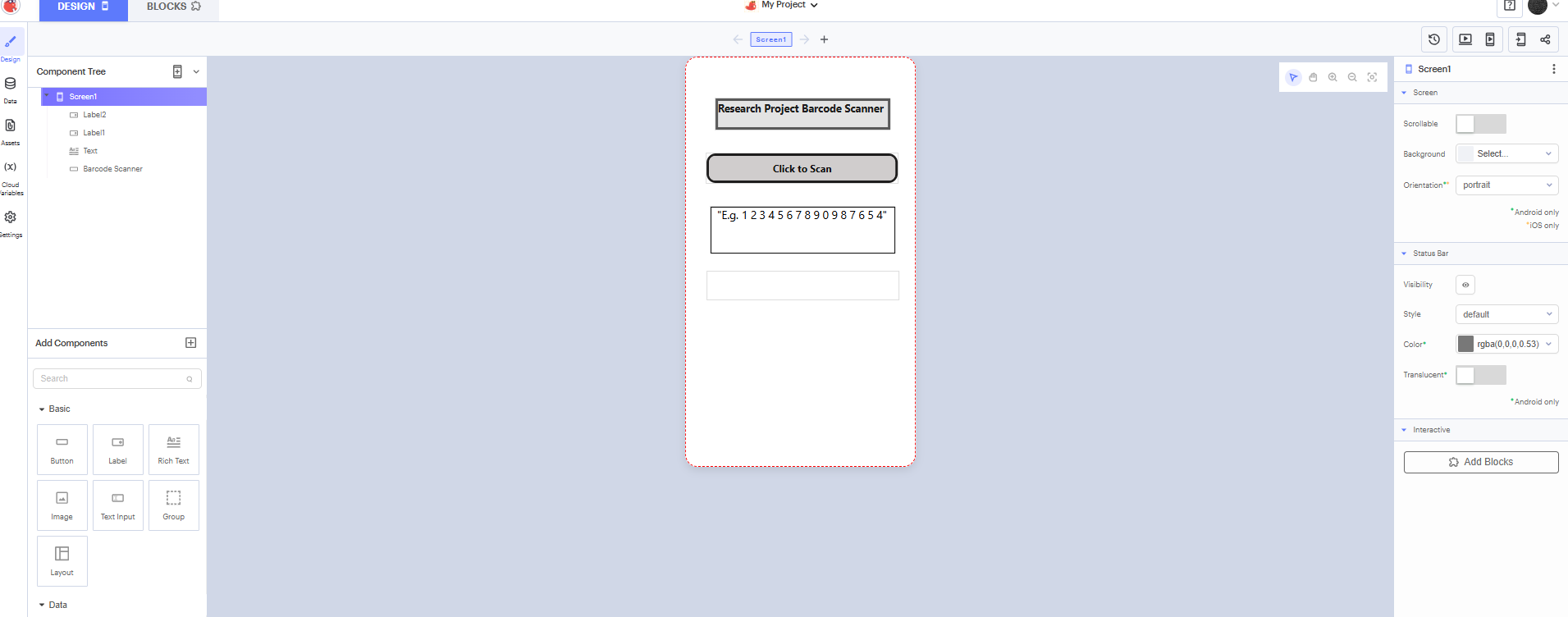
Also, I did search online and there are many blocks that I don’t see when I go into the data blocks
---
### Author:  [@brianl](https://community.thunkable.com/u/brianl)
#### Post date: [January 24, 2025, 11:46pm UTC](https://community.thunkable.com/t/questions-about-airtable-bardcode-scanner/3504440/2 "2025-01-24T23:46:22Z")
Hi tommydong2010w3eqee, welcome to Thunkable! 🎉
Be sure to check out [How to ask Great Questions v2.0](https://community.thunkable.com/t/how-to-ask-great-questions-v2-0/2689983/1), the [Community Guidelines](https://community.thunkable.com/t/community-guidelines/78/8), and our [Getting Started Guide](https://docs.thunkable.com/getting-started/get-started) to make the best of your Thunkable Community experience!
I would recommend looking through [this](https://docs.thunkable.com/blocks/app-features/data-sources-blocks) first.
What does your airtable look like?
---
### Author:  [@tommydong2010w3eqee](https://community.thunkable.com/u/tommydong2010w3eqee)
#### Post date: [January 25, 2025, 2:14am UTC](https://community.thunkable.com/t/questions-about-airtable-bardcode-scanner/3504440/3 "2025-01-25T02:14:54Z")

This is what the Airtable looks like.
Edit: I have edited the code, and I’ve also came across an error:

---
### Author:  [@tatiang](https://community.thunkable.com/u/tatiang)
#### Post date: [January 25, 2025, 3:02am UTC](https://community.thunkable.com/t/questions-about-airtable-bardcode-scanner/3504440/4 "2025-01-25T03:02:05Z")
The row id value is not a lookup field. It represents the row # (1, 2, 3, etc.). You’re using it as though it represents the cell value. What you should do is use the [find first occurence of](https://docs.thunkable.com/blocks/blocks/lists#find-first-last-occurrence) block which returns the row number that a search term is found in.
---
### Author:  [@tommydong2010w3eqee](https://community.thunkable.com/u/tommydong2010w3eqee)
#### Post date: [January 25, 2025, 3:10am UTC](https://community.thunkable.com/t/questions-about-airtable-bardcode-scanner/3504440/5 "2025-01-25T03:10:30Z")
Would you mind showing me an example of what the code looks like?
---
### Author:  [@tatiang](https://community.thunkable.com/u/tatiang)
#### Post date: [January 25, 2025, 4:23am UTC](https://community.thunkable.com/t/questions-about-airtable-bardcode-scanner/3504440/6 "2025-01-25T04:23:02Z")
The basic idea is from [this topic](https://community.thunkable.com/t/solved-how-can-i-identify-which-map-marker-was-clicked/1775376/2):
[ ](https://us1.discourse-cdn.com/flex015/uploads/thunkable/original/3X/d/4/d430d0845b6c1412c9187c875338f1ed8f1b77a6.png)
The `list of values` block would be a Data Source block for the column you want to search and the `item` block would be the text input or variable value containing the search term. If you get a value of zero back from that, it means the value was not found in the column.
---
### Author:  [@tommydong2010w3eqee](https://community.thunkable.com/u/tommydong2010w3eqee)
#### Post date: [January 25, 2025, 4:04pm UTC](https://community.thunkable.com/t/questions-about-airtable-bardcode-scanner/3504440/7 "2025-01-25T16:04:52Z")
Is it like this:

And also, after this, I’m not sure how to approach the goal. Would you mind giving me a simple guide on how you would approach such project?
Thanks for the help!
---
### Author:  [@tatiang](https://community.thunkable.com/u/tatiang)
#### Post date: [January 25, 2025, 6:39pm UTC](https://community.thunkable.com/t/questions-about-airtable-bardcode-scanner/3504440/8 "2025-01-25T18:39:49Z")
Almost. The `list of values` block is already a list so you don’t need to put a `+ list -` block in front of it. That will cause problems because it creates a list of lists. Delete that extra block.
When you set a variable, use the `set app variable` block at the **top** of the Variables drawer that already has the variable name. Avoid using the `set app variable " "` block. You need change those blocks so that it just shows `set app variable Code` to…
I’m not what the next steps would be because I don’t quite understand what you’re trying to do and what the larger context is (what’s the purpose of this?). I would recommend either clarifying here or using ChatGPT to get an algorithm for your project. That can be a useful starting point.
---
### Author:  [@tommydong2010w3eqee](https://community.thunkable.com/u/tommydong2010w3eqee)
#### Post date: [January 25, 2025, 7:31pm UTC](https://community.thunkable.com/t/questions-about-airtable-bardcode-scanner/3504440/9 "2025-01-25T19:31:23Z")
Yes, thanks, I’ll clarify. So, I need to make an app that will minimize human error by scanning a barcode for a study. Each barcode has a code and each code is linked to 1 of 2 colours, and this data is in the spreadsheets. I want the app to output the correct colour that is attributed to the code when scanned.
---
### Author:  [@tatiang](https://community.thunkable.com/u/tatiang)
#### Post date: [January 25, 2025, 8:14pm UTC](https://community.thunkable.com/t/questions-about-airtable-bardcode-scanner/3504440/10 "2025-01-25T20:14:50Z")
If you get stuck, post screenshots of your blocks or a link to your project and someone may be able to help you.
---
### Author:  [@tommydong2010w3eqee](https://community.thunkable.com/u/tommydong2010w3eqee)
#### Post date: [January 25, 2025, 8:29pm UTC](https://community.thunkable.com/t/questions-about-airtable-bardcode-scanner/3504440/11 "2025-01-25T20:29:22Z")
OK, thanks for your help. This is the code I have, and im kind of stuck and don’t know where to go:

---
### Author:  [@tatiang](https://community.thunkable.com/u/tatiang)
#### Post date: [January 26, 2025, 1:22am UTC](https://community.thunkable.com/t/questions-about-airtable-bardcode-scanner/3504440/12 "2025-01-26T01:22:36Z")
Your Code and Color variables are going to have the row number where the search value was found. So for example, if you scan the barcode C05202120648900I (hopefully I typed that right!), then `app variable Code` would have the value 3 since that’s the row in which that Code appears in the data source.
If you then want to get another value from the same row, such as the Colour, you would Get Value of that column for row id `app variable Code`.
**Note:** The way you’ve set up `app variable Color` is probably not useful since it’s only going to find the _first_ occurrence of the value in the Colour column. I would remove that. You also don’t need to have any values connected to the `initialize app variable` blocks. You can delete the `get value` blocks that are there. You’ll want to get the values _after_ you find the row numbers.
---
### Author:  [@tommydong2010w3eqee](https://community.thunkable.com/u/tommydong2010w3eqee)
#### Post date: [January 26, 2025, 3:08am UTC](https://community.thunkable.com/t/questions-about-airtable-bardcode-scanner/3504440/13 "2025-01-26T03:08:10Z")
Thanks for the assistance. But I’m not quite sure how to do the next step. Would you mind guiding me a little? Thanks
---
### Author:  [@tatiang](https://community.thunkable.com/u/tatiang)
#### Post date: [January 26, 2025, 5:04pm UTC](https://community.thunkable.com/t/questions-about-airtable-bardcode-scanner/3504440/14 "2025-01-26T17:04:24Z")
Sure. Can you share the project link?
---
### Author:  [@tommydong2010w3eqee](https://community.thunkable.com/u/tommydong2010w3eqee)
#### Post date: [January 26, 2025, 11:13pm UTC](https://community.thunkable.com/t/questions-about-airtable-bardcode-scanner/3504440/15 "2025-01-26T23:13:15Z")
Sure: [Thunkable](https://x.thunkable.com/projectPage/677ad151156602b9141950ea)
---
### Author:  [@tommydong2010w3eqee](https://community.thunkable.com/u/tommydong2010w3eqee)
#### Post date: [January 26, 2025, 11:52pm UTC](https://community.thunkable.com/t/questions-about-airtable-bardcode-scanner/3504440/16 "2025-01-26T23:52:36Z")
I made some adjustments, and it kind of works. It outputs the correct output, but only after 2 scans. I fear I may have gotten lucky, and something isn’t correct. Would you mind taking a look? Also, let me know if my project link works.

---
### Author:  [@tatiang](https://community.thunkable.com/u/tatiang)
#### Post date: [January 27, 2025, 3:14am UTC](https://community.thunkable.com/t/questions-about-airtable-bardcode-scanner/3504440/17 "2025-01-27T03:14:14Z")
I would set it up like this (note that I right-clicked on the barcode scan block and chose “show advanced block” so that I could use error handling):
Updated project link: [Thunkable](https://x.thunkable.com/copy/d8f1421426d0fe03837ee1c525c714f5)

---
### Author:  [@tommydong2010w3eqee](https://community.thunkable.com/u/tommydong2010w3eqee)
#### Post date: [January 27, 2025, 3:43pm UTC](https://community.thunkable.com/t/questions-about-airtable-bardcode-scanner/3504440/18 "2025-01-27T15:43:49Z")
It looks right, but when I try to scan a barcode, it says undefined… I’m not sure what the problem is either.
---
### Author:  [@tatiang](https://community.thunkable.com/u/tatiang)
#### Post date: [January 27, 2025, 3:56pm UTC](https://community.thunkable.com/t/questions-about-airtable-bardcode-scanner/3504440/19 "2025-01-27T15:56:10Z")
Add a text input and then set the text input’s text to the green `value` block. You can then copy (and paste if needed) the scanned barcode value. Paste it somewhere such as a Google Doc. I recommend pasting it between other symbols such as # so that you can see if there are extra spaces, etc. For example, if you pasted " 2345" on a blank page, it might look the same as “2345” but if you use #s as bookends, it looks like this:
# 2345#
vs.
#2345#
Make sure the value there **exactly** matches the value in your data source.
---
### Author:  [@tommydong2010w3eqee](https://community.thunkable.com/u/tommydong2010w3eqee)
#### Post date: [January 27, 2025, 4:09pm UTC](https://community.thunkable.com/t/questions-about-airtable-bardcode-scanner/3504440/20 "2025-01-27T16:09:22Z")
I copy & pasted a code inside 2 #'s and it looked normal: #C05202120648800K#. I’m not sure what the problem is. Thanks.
[Next page](https://community.thunkable.com/t/questions-about-airtable-bardcode-scanner/3504440.md?page=2)