# Issue with appa variable when duplicating a screen
**URL:** https://community.thunkable.com/t/issue-with-appa-variable-when-duplicating-a-screen/2209943
**Category:** Issues / Bugs
**Created:** [January 7, 2023, 12:09pm UTC](https://community.thunkable.com/t/issue-with-appa-variable-when-duplicating-a-screen/2209943 "2023-01-07T12:09:04Z")
**Posts on this page:** 4
**Page:** 1
### Author:  [@sebastien.bruckertw3](https://community.thunkable.com/u/sebastien.bruckertw3)
#### Post date: [January 7, 2023, 12:09pm UTC](https://community.thunkable.com/t/issue-with-appa-variable-when-duplicating-a-screen/2209943/1 "2023-01-07T12:09:04Z")
Hi all,
I have just started to develop an application and I have a problem when I duplicate a screen.
My first screen works perfectly and I made sure to name my variables with an extension that will increment (ex: TotalJ1C1T1)

So, when I duplicate my screen and I modify the references on the variables to take into account the 2nd screen (TotalJ1C1T1 becomes TotalJ1C1T2), the screen works again.
And there, it becomes bizarre…
When I want to get the scores of the 1st screen, which is an app variable . and well the variable does not exist in the list.
1st screen:
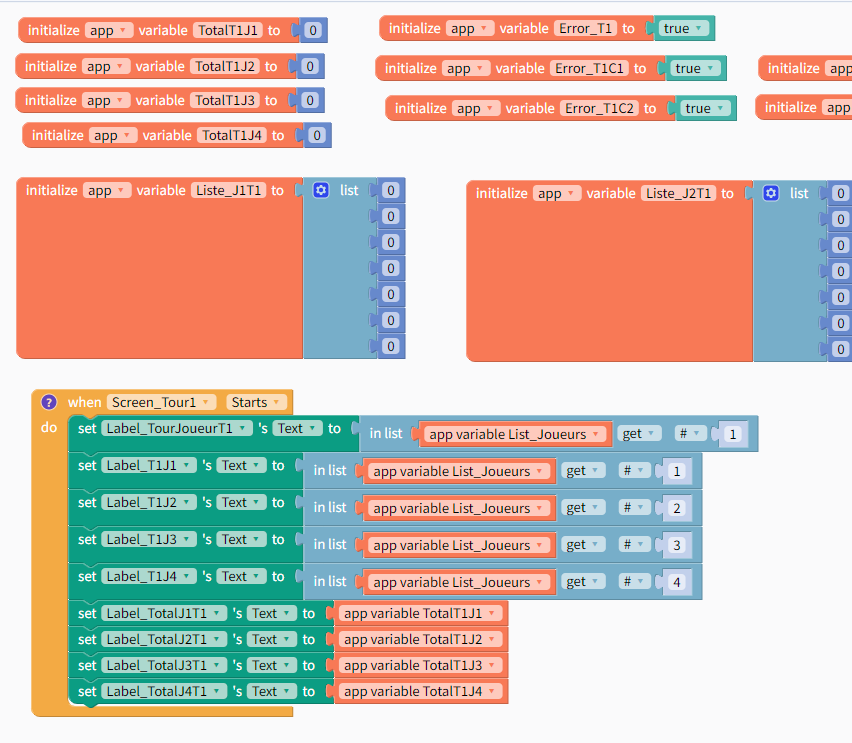
2nd Screen

And the list of available variables :

In practice, it’s as if the duplication doesn’t make me a new variable but takes the exact same instance and the variables while they have the same name share the same component ID.
If any of you have a solution I’m interested, because rebuilding a screen by hand is not very good.
thanks
---
### Author:  [@tatiang](https://community.thunkable.com/u/tatiang)
#### Post date: [January 7, 2023, 3:50pm UTC](https://community.thunkable.com/t/issue-with-appa-variable-when-duplicating-a-screen/2209943/2 "2023-01-07T15:50:48Z")
Yes, I’ve had this happen. I’m wary of duplicating screens. It’s been reported a couple times, for example here: [Variables get duplicated when importing a Screen](https://community.thunkable.com/t/variables-get-duplicated-when-importing-a-screen/564265).
My only suggestion is to initialize ALL variables on a screen you know you’ll never duplicate. But that takes planning ahead. It’s not something you can adjust easily with an existing project.
---
### Author:  [@sebastien.bruckertw3](https://community.thunkable.com/u/sebastien.bruckertw3)
#### Post date: [January 7, 2023, 4:18pm UTC](https://community.thunkable.com/t/issue-with-appa-variable-when-duplicating-a-screen/2209943/3 "2023-01-07T16:18:02Z")
Thank you @tatiang . Actually, that is the solution I came up with. creating an blank screen with variables init.
---
### Author:  [@ioannis](https://community.thunkable.com/u/ioannis)
#### Post date: [November 8, 2024, 1:37pm UTC](https://community.thunkable.com/t/issue-with-appa-variable-when-duplicating-a-screen/2209943/4 "2024-11-08T13:37:10Z")